From Genmoji to GenGIF
We’ve all seen — and probably spammed our friends with — Genmoji. I love them too, but I couldn’t help thinking: what if there was a GenGIF? Not just a static image with personality, but a short, looping burst of expression you could drop into any conversation.
I explored a bunch of open-source video generation models: HunyuanCustom, LtxVideo, and Wan 2.1; all capable of turning text or images into beautiful, coherent video. I went with Wan 2.1, a 14-billion-parameter image-to-video model with excellent prompt adherence and quality, as the anchor of my pipeline.
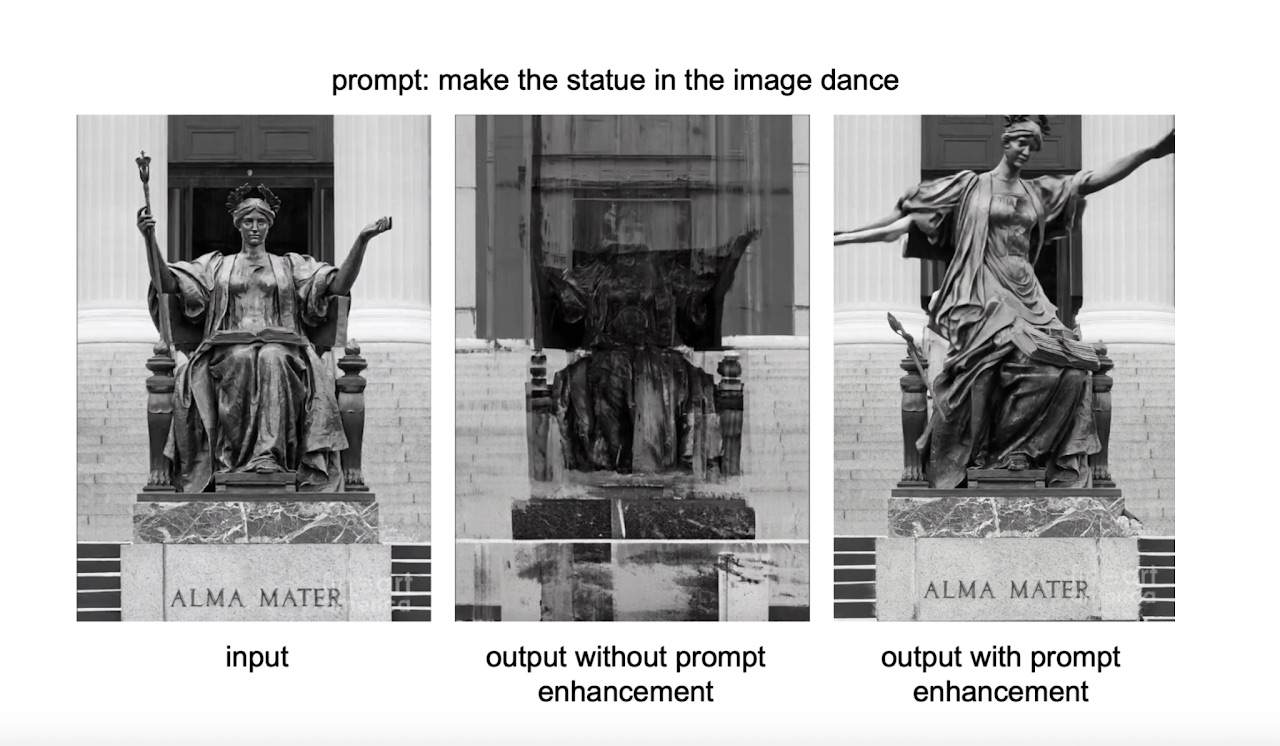
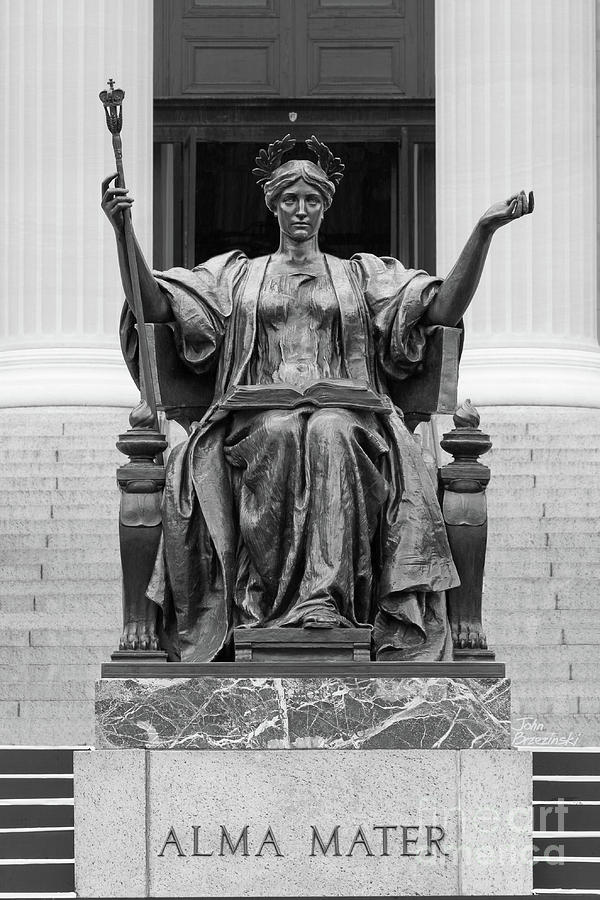
I started simple. I uploaded Columbia’s Alma Mater statue with the prompt: “make the statue dance.”
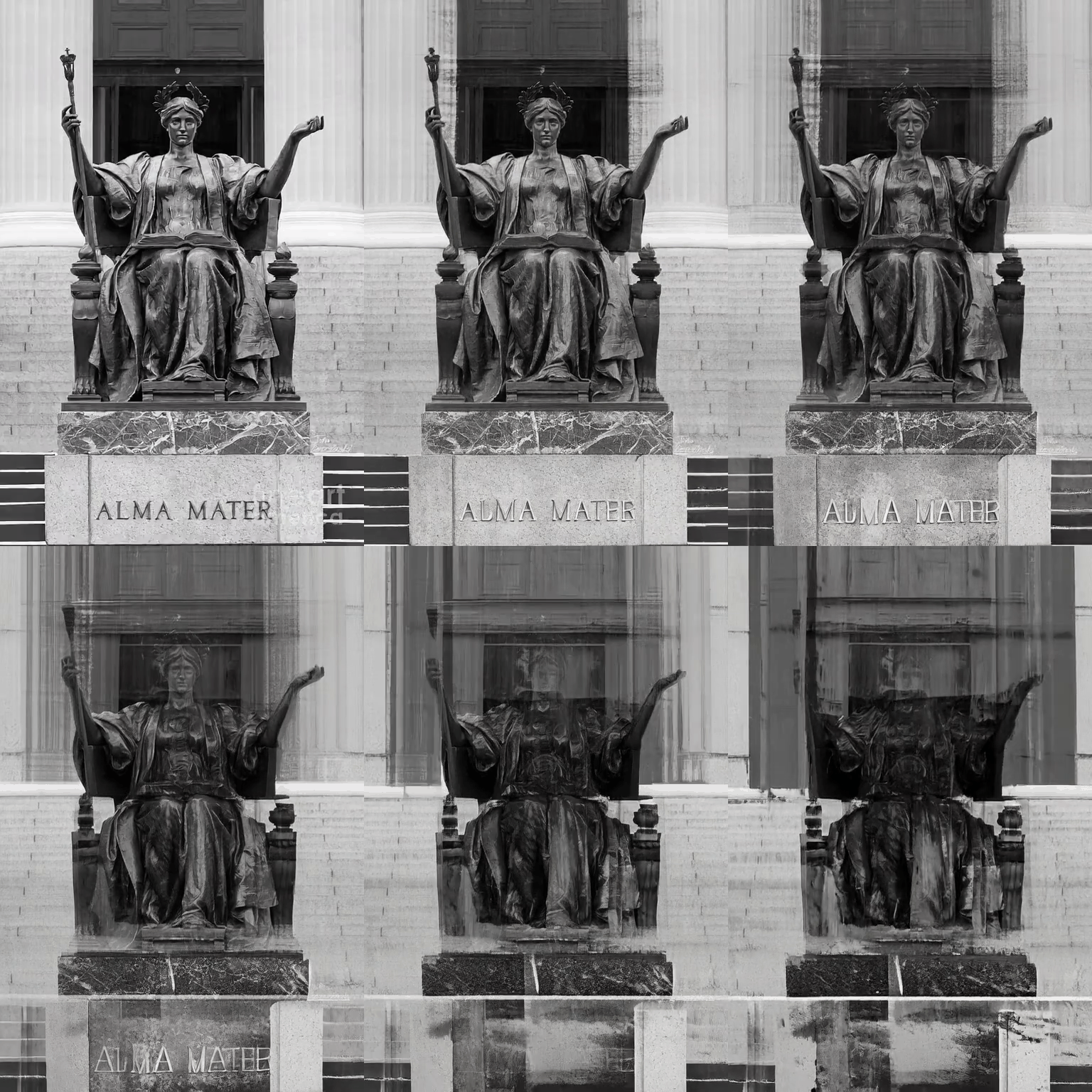
The result? A jittery bronze mess.
That’s when I realized these models want a director’s shot list, not a vague request. I needed an expert prompt engineer in the loop.
Prompting as part of the product
So I added an LLM (ChatGPT 4o) whose sole job was to take my casual request and expand it into two things:
- Positive prompt: a detailed, style-aware description of what to include.
- Negative prompt: a clear list of things to avoid (blur, jitter, artifacts, unwanted objects).
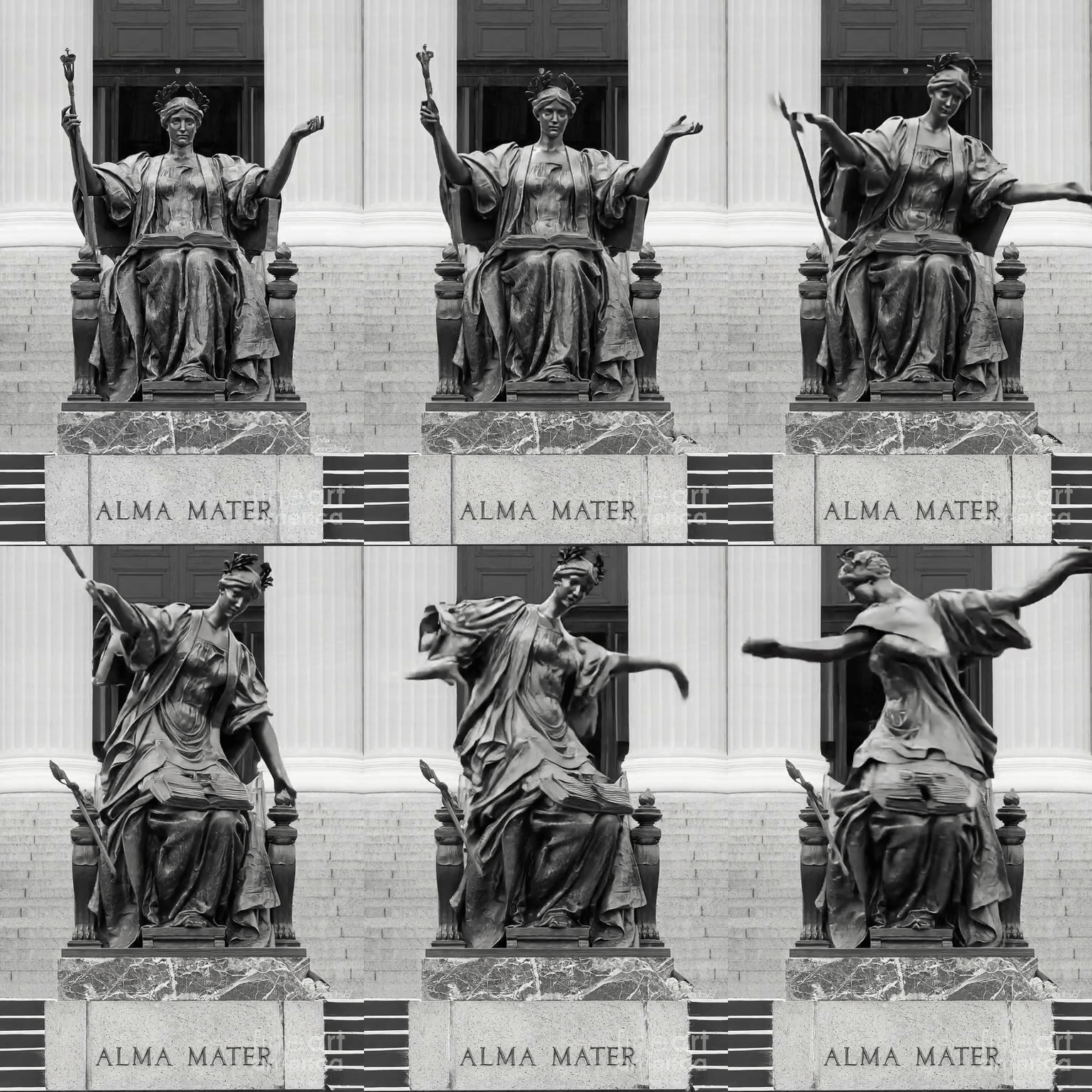
The difference was immediate. Same input image, same model. But suddenly the statue actually danced. Smooth and graceful (?), exactly as intended.
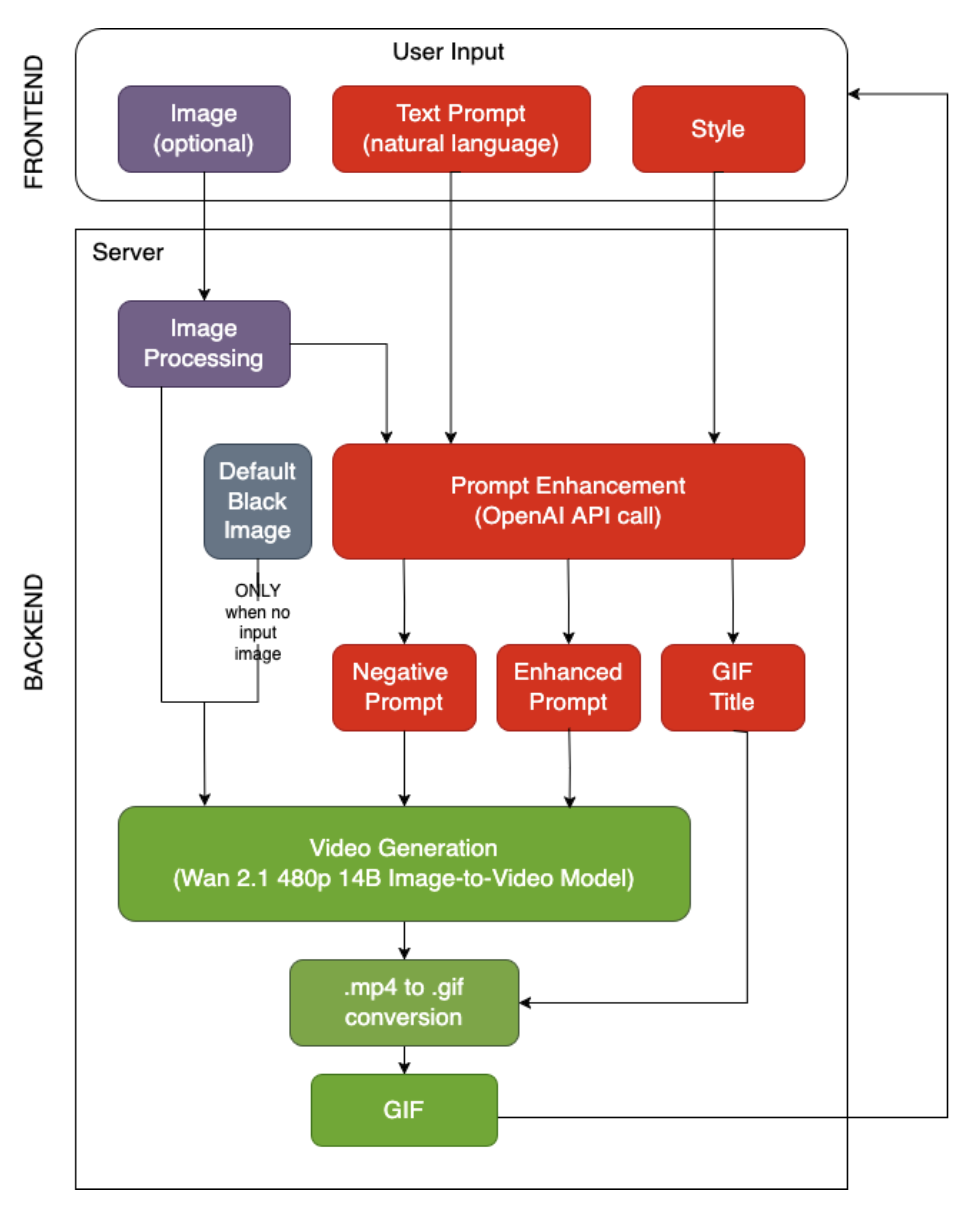
Once that worked, I focused on consistency. I standardized every run to 832×480 resolution, 89 frames, and a guidance scale of 5.0 — a sweet spot between creativity and prompt accuracy. If the user uploads an image, I resize it to match the model’s input and use it as the first frame. No image? I start from black. Wan 2.1 generates the frames, and I stitch them together into a loop using imageio-ffmpeg.
Limits and lessons
It’s not without limits. On a 5000-series NVIDIA GPU, a crisp 2–3 second GIF still takes ~90 seconds to generate. The base model struggles with very abstract or hyper-specific requests. And if you upload an image, it’s only used as the starting frame — not a continuous visual reference throughout the clip.
But even with those constraints, the results are worth it. GenGIF taught me that the model does the heavy lifting, but the prompt sets the stage — and the stage is everything.
The code is available on GitHub ↗.